
7 Mistakes Killing Your TikTok Engagement (And How To Fix Them)
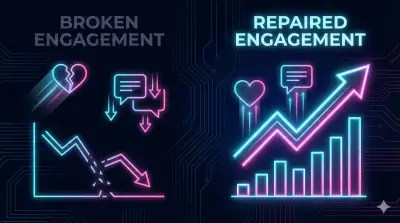
Your engagement did not drop because TikTok hates you. It dropped because something specific changed — in your content, your posting pattern, or how the algorithm is reading your account. Most engagement drops trace back to a small number of fixable mistakes. Identify which ones apply to you, fix them, and you can see measurable recovery within a week.
These are the 7 that come up most often.
Mistake 1: You Changed Niches Too Fast
This is the most common one, and most creators don't realize they're doing it. TikTok's algorithm builds a profile of your content over time. It learns what topics you cover, which audience responds to your videos, and what kind of creator you are. When you suddenly shift from cooking videos to motivational quotes to tech reviews, TikTok loses that picture. It doesn't know who to show your content to anymore.
The result: your videos get tested on the wrong audience. Watch time drops. The algorithm pulls back distribution.
The Fix
Commit to one core topic for at least 10 consecutive videos. You can vary the format — tutorial, list, reaction, behind-the-scenes — but keep the subject consistent. After 10 videos in one lane, TikTok has enough signal to find the right audience for you.
If you want to cover multiple topics, run separate accounts for each. Many creators I've studied run 2 to 3 focused accounts rather than one scattered one. It sounds like more work. It isn't, once you stop fighting the algorithm on every post.
Mistake 2: Weak Openings That Fail the 2-Second Test
TikTok measures how quickly people scroll past your video. If most viewers leave in the first second or two, the algorithm assumes the content isn't worth pushing and stops. This is the single biggest performance factor on the platform, and the most fixable.
The patterns that kill you fastest: "Hey guys, welcome back" before anything interesting happens. Slow setup shots. A question that creates no urgency. A black frame at the very start.
The Fix
Your first frame needs to answer one question — "why should I keep watching?" — before the viewer's thumb moves. The approaches that work most consistently:
- Show the result first. "This is what happens when you..." and then you show the transformation. Explain how afterward.
- Name a specific problem. "You're losing followers because of this one mistake" creates enough curiosity to hold someone for 3 more seconds.
- Make a specific claim. "This works in 10 seconds" is testable and concrete. "Tips to grow your account" is not.
- Show something that stops the scroll visually. Sometimes the hook is the image, not the words.
Record 3 to 5 different hooks for the same video and post the one that would make you stop scrolling. Your instincts on this get sharper over time.
Mistake 3: Captions That Confuse the Algorithm
Long captions aren't inherently bad. Messy ones are. Three paragraphs of text, 12 hashtags, 5 emojis, and a call-to-action all piled together make it harder for TikTok to extract the topic signal it needs to categorize your video. On top of that, mobile users see only the first line or two before tapping "more." If that first line doesn't pull them in, they scroll.
The Fix
A simple structure that works: first line is one clear hook or statement — the thing viewers see before expanding the caption. Second line is one call-to-action (save, share, follow, or a comment prompt). Third line is 3 to 5 relevant hashtags. That's it.
Clean example: "Stop using 15 hashtags. Here's why 3 work better. 👇 Save this for later. #TikTokGrowth #ContentTips #SmallCreators"
For a full breakdown of which hashtags actually move the needle, the TikTok SEO guide covers keyword and hashtag strategy in detail.
Mistake 4: No Reason to Rewatch
Rewatch rate is one of TikTok's strongest ranking signals. When someone watches your video twice, TikTok reads that as a strong quality marker. Most creators let their videos end with a flat fade or a generic "follow for more," which gives viewers zero reason to stay or return.
The Fix
Build the ending back into the beginning. A few ways to do this:
- Visual loops. End in the same position or frame where you started so the video plays seamlessly on repeat. Viewers often don't even realize they've watched it twice.
- Information gaps. Reveal something at the end that reframes the beginning. "Now watch the first part again and notice..." is a direct rewatch prompt.
- Fast text reveals. Flash a quick on-screen message near the end that viewers need to replay to fully catch.
- List-based content at speed. Move through items fast enough that viewers replay just to keep up.
Ending mid-sentence while the loop restarts is a simple trick that works more often than you'd expect.
Mistake 5: Never Looking at Your Analytics
Creators post daily but never check which videos actually performed. They keep repeating patterns that aren't working while abandoning formats that had strong numbers — usually by accident.
TikTok gives you free analytics with a Pro account. It takes 30 seconds to enable in settings. The data is there. Most people just never look.
The Fix
Ten minutes every Sunday. Check three things:
- Highest average watch time. This is your strongest content signal. Write down the topic, hook style, and format.
- Most saves and shares. Saves mean "I want this again." Shares mean "someone else needs this." Both are higher-intent signals than likes.
- Videos over 50% completion rate. Any video where more than half the viewers stayed to the end is a candidate for a follow-up or a remake.
Build your next 5 videos around those patterns. This is the difference between posting randomly and posting with a direction.
Mistake 6: Ignoring Trending Audio
TikTok promotes videos that use trending sounds. When a sound is gaining momentum, TikTok shows those videos to more users because viewer engagement with familiar audio tends to be higher. Skipping this means passing up a distribution advantage that costs you nothing to use.
This doesn't mean forcing a trending sound onto every video. It means being deliberate about when it fits.
The Fix
Spend 2 minutes on the Discover page each day checking which sounds are moving in your niche. When you hear something trending, save it to your favorites immediately and think about what content would use it naturally. Match the energy: a high-intensity sound belongs on a transformation reveal, not a calm tutorial. Forcing the wrong audio onto your content confuses viewers more than no trending audio would.
For talking-head content and voiceovers, your own audio is fine. You don't need a trending sound in every video — just in the ones where it fits without friction.
Mistake 7: Posting and Disappearing
Uploading a video and going offline is the fastest way to flatten your engagement rate. TikTok measures how fast comments arrive and whether the creator replies. If your video gets 10 comments in the first hour and you respond to none of them, you lose the compounding effect those interactions would have generated.
You're also missing a chance to train your audience. When people see that you reply, they're more likely to comment next time.
The Fix
Stay close to your phone for the first 30 to 60 minutes after posting and reply to every comment. Pin your own question as the first comment — something specific, not "thoughts?" Something like "Which of these mistakes was the one you didn't know about? Tell me below." Specific questions get replies. Vague ones don't.
Use "Reply with Video" when someone asks something worth answering in depth. It creates new content from existing engagement and shows your audience that their questions go somewhere.
The 3-Day Engagement Recovery Plan
If your numbers have already dropped, here's what I'd run:
Day 1: Audit Your Last 10 Posts
Open your analytics and pull the average watch time, completion rate, and total engagement (likes + comments + saves + shares) for each of your last 10 videos. Note which 2 or 3 performed best and which were weakest. Write down what was different: the topic, the hook, the length, the time you posted, the audio. You're looking for a pattern, not a single answer.
Day 2: Re-Record the Weakest Performers
Take the topic from your 3 worst-performing videos and re-record them with stronger hooks. Don't delete the originals — just create new versions. Borrow the hook patterns from your best performers and post at the time your analytics show your audience is most active.
Day 3: Engage Aggressively
Spend 30 minutes replying to every comment on your new videos. Pin a question on each one. Then go to 5 other creators in your niche and leave a genuine comment on their latest videos — something helpful or specific, not promotional. This signals to TikTok that your account is active within a real community. Most creators skip this entirely, which is exactly why it works for the ones who do it.
Repeat this for a full week. The TikTok algorithm guide explains why early engagement velocity matters so much during recovery — it's worth reading alongside this if you want to understand what's happening at each stage.
Quick Diagnostic Before Your Next Post
Run through this before you publish:
- Does the first frame answer "why should I keep watching"?
- Is the video on the same topic as your last 5 posts?
- Is the caption: hook + CTA + 3 to 5 hashtags?
- Does the video loop or give a rewatch reason?
- Did you use a relevant sound?
- Will you reply to comments within the first hour?
A no on any of these is worth fixing before you hit post.
Frequently Asked Questions
- Should I delete low-view videos from my TikTok profile?
- No. Deleting videos doesn't help your account recover, and TikTok doesn't penalize you for having low-performing content on your profile. Leave them up and focus energy on better new ones. Old videos sometimes pick up views weeks later when your account grows and TikTok re-tests older content against new audiences.
- How long does it take to recover from a TikTok engagement drop?
- Most creators see improvement within 5 to 10 days of consistent, focused changes to their content and engagement habits. If your account was flagged for spam-like behavior, recovery can take 2 to 4 weeks. The variable that matters most isn't how often you post — it's whether each post is better than the last and whether you're actively engaging with your community.
- Does posting time actually affect TikTok reach?
- Yes, though content quality has a bigger impact. Posting when your audience is most active gives your video a stronger first-hour engagement window, which influences how aggressively TikTok tests it with larger audiences. Check TikTok Analytics under the Followers tab to see when your specific audience is online — don't rely on general "best times to post" articles, which aren't calibrated to your niche.
- Why does TikTok engagement drop suddenly with no clear reason?
- The most common causes are an algorithm recalibration (TikTok periodically re-evaluates account signals), a shift in your content consistency, or a change in posting frequency. Sometimes a single low-performing video can temporarily suppress distribution if it trained TikTok to show your content to the wrong audience. Posting 3 to 5 strong videos in a row in your core niche usually resets the signal.
Related Articles
Explore the TikTok Growth hub →
Why Most TikTok Creators Fail in 2026 (And What To Do)
Most TikTok creators quit within 90 days. This guide breaks down the 8 real reasons creators fail and the specific changes that fix each one.
How the TikTok Algorithm Actually Works in 2026 (Proven Tactics)
Learn how the TikTok algorithm works in 2026 and the actionable tactics creators use to increase reach, engagement, and followers fast.
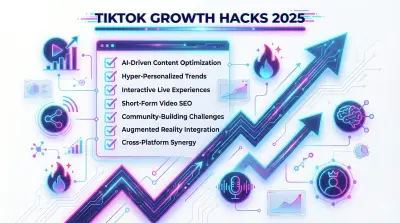
10 TikTok Growth Hacks for 2026 That Actually Work
Most TikTok growth advice is just 'post more.' These 10 specific tactics give you a real edge — more views, followers, and saves without spending on ads.