
NotebookLM vs Claude Projects for Researchers
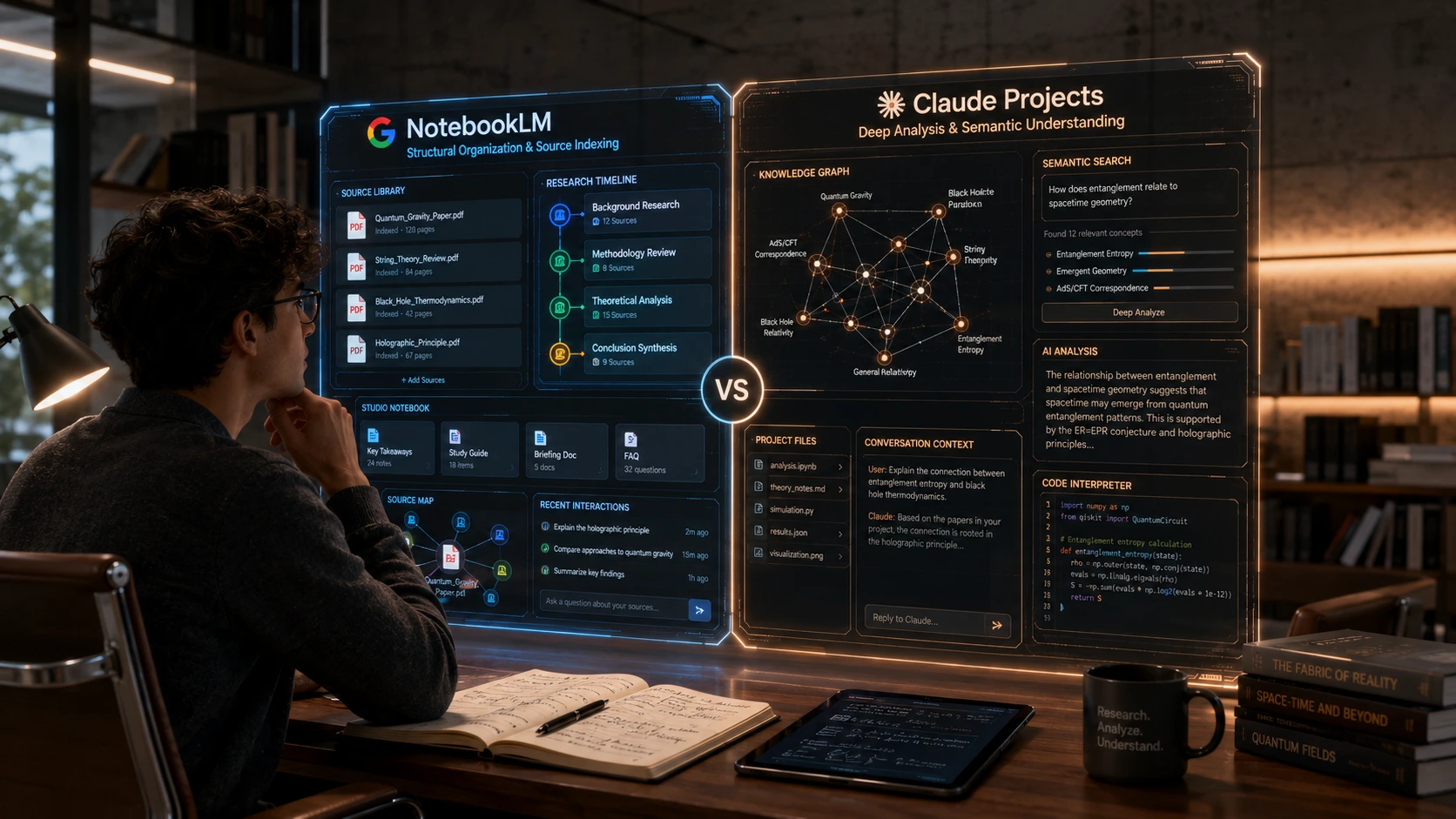
A grad student has 40 PDFs sitting in a folder, a thesis literature review due in six weeks, and two tabs open: NotebookLM and Claude. She's read enough forum threads to know both can "handle documents," and not enough to know which one will actually get her through 40 papers without inventing a citation or missing the one contested finding buried in paper 27. That uncertainty costs real time, because rebuilding a workflow halfway through a review is worse than picking wrong on day one.
This isn't a "both are good, it depends" comparison. NotebookLM and Claude Projects are built on genuinely different architectures, and that difference determines which one wins for which job. NotebookLM grounds every answer in the specific documents you feed it and won't wander outside them. Claude Projects reasons harder about what those documents actually mean, at the cost of citation precision that's less rigid by default. For a literature review, that distinction matters more than either company's marketing copy admits.
What follows settles it: which tool to open first depending on whether you're synthesizing sources or writing something new from them, with the specific limitation each one will hit on you eventually.
Architectural Differences: NotebookLM vs Claude Projects
Google's Retrieval-Augmented Generation (RAG) Architecture
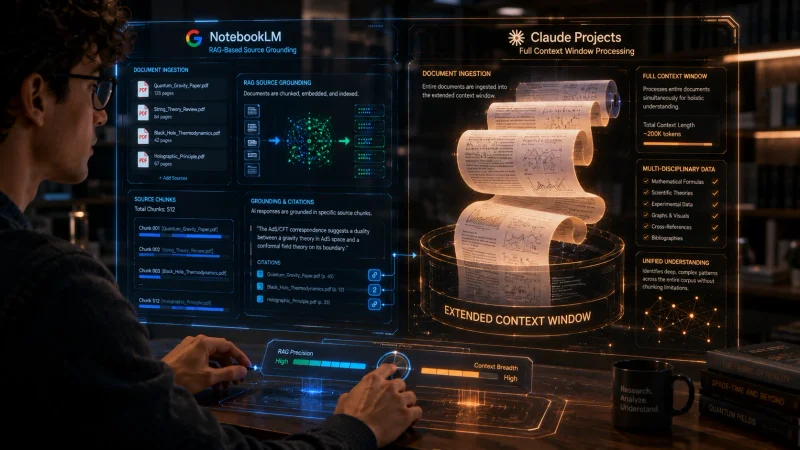
NotebookLM is a closed system by design. It grounds every response strictly in the sources you've uploaded and doesn't reach out to the open internet to fill gaps, which means it can't accidentally blend your unpublished thesis draft with something it half-remembers from training data. When you ask a question, it retrieves the relevant passages from your sources first, then generates an answer anchored to those specific fragments, with inline citations pointing back to the exact passage. That retrieval-first design is what makes NotebookLM feel trustworthy for source-heavy work: it's structurally harder for it to hallucinate a claim that isn't in your documents.
Anthropic's Extended Context Window Infrastructure
Claude Projects works differently. Current models behind Claude, including Sonnet 5, support a context window up to 1 million tokens, roughly 750,000 words, which is enough to hold dozens of full papers directly in working memory rather than retrieving fragments on demand. The practical effect: Claude can reason across the entire body of text at once, tracking an argument that develops across three different papers instead of stitching together retrieved snippets. The tradeoff is that once a project's total files grow large enough, Claude switches to a retrieval mode of its own, and in practice that switch can happen sooner than the stated token thresholds suggest. If you're working with a genuinely large document set, don't assume everything is sitting in active context just because the total is under the advertised ceiling, check what mode you're actually in.
Data Privacy and Security Policies for Research Papers
Both companies state plainly that they don't train their models on your uploaded documents without permission, but the practical protections differ by account type on each side. On NotebookLM, Google Workspace and Education accounts get uploads and responses shielded from human review entirely. Personal Google accounts only risk human review if you actively submit thumbs up or down feedback, so if you never touch the feedback buttons, your unpublished research effectively stays unreviewed. On Claude, consumer accounts (Free, Pro, and Max) default to a 30-day retention window with no training use, and only shift to longer retention if you explicitly opt into the "help improve Claude" setting. Commercial plans, meaning Team, Enterprise, and the API, aren't used for model training by default at all. If you're handling unpublished data or anything under an embargo, check your specific account tier rather than assuming the free-tier policy applies.
Document Upload Limits and Source Material Handling
NotebookLM Source Constraints and Supported File Formats
The free NotebookLM tier caps you at 50 sources per notebook and 100 notebooks total, with each individual source limited to 500,000 words or 200MB, whichever you hit first. Paid tiers raise the per-notebook source count considerably, up to several hundred on the higher plans, but the per-source ceiling stays fixed across every tier. That per-source cap rarely bites for individual research papers, but it matters if you're trying to drop in an entire book manuscript as one file. NotebookLM accepts PDFs, Google Docs, Slides, plain text, web URLs, YouTube links, and audio files, all treated as sources in the same pool regardless of type.
Claude Projects Knowledge Base Limits and Token Constraints
Claude Projects allows an effectively unlimited number of files, each capped at 30MB, with no hard file-count ceiling, but the real constraint is that everything still has to fit inside the active context window. Once your combined project knowledge approaches that limit, Claude starts retrieving relevant sections instead of holding the full set in memory, similar in spirit to NotebookLM's approach but without the same transparency about when the switch happens. For a 40-paper literature review, you'll likely stay under the practical ceiling if the papers are text-heavy PDFs rather than image-dense scans, but it's worth periodically checking whether Claude is still working from full context or has quietly shifted to search mode.
Managing Citations and In-Line Grounding Verification
This is where NotebookLM's architecture pays off directly. Every claim it generates links back to a specific passage in a specific source, and clicking the citation jumps you straight to that spot in the original document. Claude Projects can cite documents when explicitly instructed to, but the grounding isn't structurally enforced the same way, so you're more dependent on prompting it correctly and spot-checking its claims against the source manually. For a literature review where citation accuracy is the entire point, that's a meaningful gap, not a minor stylistic difference.
Analytical Power: Complex Reasoning vs Pattern Recognition
Synthesizing Cross-Document Themes and Contentious Studies
Ask NotebookLM to summarize what your 40 sources say about a topic and it does that well: pulling the common threads, noting where sources agree, and citing each claim. Ask it to actually adjudicate between two contentious studies that reach opposite conclusions, and it tends to present both sides neutrally rather than reasoning through which methodology is stronger. Claude handles that adjudication better, because it's reasoning over the full text rather than retrieving and summarizing fragments, and it can walk through a methodological critique of two conflicting papers in a way that reads like actual analysis rather than a balanced-sounding summary.
If your research work extends beyond academic literature into competitive or market research, the same context-window tradeoffs apply. I've covered a related workflow in using DeepSeek for competitor analysis, which deals with a similar synthesis-versus-reasoning split on a different tool.
Claude's Advanced Reasoning for Code, Math, and Logic
If your research involves statistical methodology, code, or formal logic, Claude Projects is not a close call. It can trace through a regression model's assumptions, spot a p-hacking pattern across multiple papers' reported results, or debug the analysis script attached to your dataset. NotebookLM isn't built for this kind of work: it's a document-grounding tool first, and asking it to evaluate whether a paper's statistical approach was sound is asking it to do something outside its retrieval-first design.
NotebookLM's Structured Overview and Automated Timelines
Where NotebookLM pulls ahead again is structured overview generation. Feed it a stack of historical documents or a set of papers spanning several years, and it can automatically build a timeline of developments, a briefing document, or an FAQ grounded entirely in your sources with almost no prompting effort. Claude can do something similar, but you have to specify the structure yourself. NotebookLM's Studio tools are built to generate that scaffolding automatically, which saves real setup time on the first pass through a new source set.
Unique Research Workflows: Audio Overviews vs Custom Instructions
Leveraging NotebookLM's Deep Dive Audio Podcasts
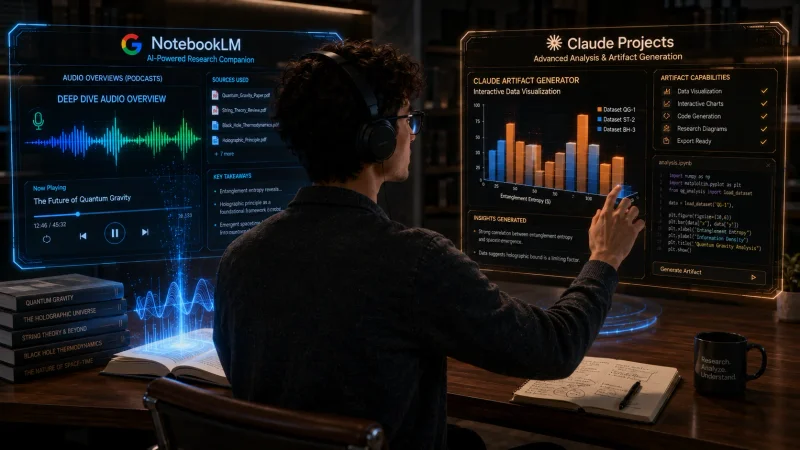
NotebookLM's audio overview feature turns your uploaded sources into a conversational, podcast-style discussion between two AI voices, and it's genuinely useful for a first pass through unfamiliar material during a commute or a walk, not as a replacement for close reading. Free accounts get a handful of these a day, paid tiers get considerably more, and the higher tiers add video overview formats on top. Treat it as an orientation tool rather than your primary research method: it's excellent for building intuition about what a source set covers before you dig into the actual documents.
Using Claude Projects' Artifacts for Data Visualization
Claude Projects can generate working charts, interactive data explorers, and even small analysis tools directly inside the conversation using its artifact feature, which NotebookLM has no equivalent for. If part of your research involves visualizing extracted data, comparing numerical results across studies, or building a quick calculator to check a paper's reported figures, that capability lives only on the Claude side. It's a meaningfully different kind of output than a summary or an audio file.
Custom Project Instructions for Specific Academic Styles
Claude Projects lets you set persistent custom instructions that apply to every conversation in the project, so you can lock in a specific citation style, a required tone, or a standing instruction to flag any claim it can't directly support from an uploaded source. NotebookLM's customization is narrower: you can adjust response length and style, but you don't get the same depth of persistent, project-wide behavioral instruction that Claude Projects supports.
Collaborative Features and Shared Workspace Management
Shared Notebooks for Research Teams and Student Groups
NotebookLM lets you share a notebook with Viewer or Editor permissions, and this works on the free tier, not just paid plans. Editors can add sources and interact with the AI in real time, and each collaborator's chat history stays private to them even inside a shared notebook, so a research group can build a common source base without everyone seeing each other's individual questions. For a thesis committee or a student group splitting up a literature review, this is a genuinely low-friction way to build a shared source base.
Sharing Claude Projects with Custom Prompts and Datasets
Claude Projects sharing is tied to paid Team and Enterprise plans, where projects can be shared across an organization with granular permission controls. That makes it a better fit for an established research group or lab operating under a paid plan already, but it's a real barrier for an individual student or a loosely organized study group who'd rather not pay for a Team seat just to collaborate on one review.
Version Control and Document Mutation Tracking
Neither tool offers a real version history. NotebookLM has no detailed change-tracking log showing who edited what and when, and Claude Projects doesn't maintain a document mutation history either, since project files are typically replaced wholesale rather than diffed. If tracking exactly how a shared source set evolved over time matters to your workflow, both tools push that responsibility back onto you: keep your own changelog or maintain source files in a system that does version control properly.
The Final Verdict: Which Research Tool Should You Use?
When to Choose NotebookLM for Literature Reviews
If your core task is synthesizing a large stack of existing sources with citation accuracy as the top priority, use NotebookLM. The retrieval-grounded architecture, the inline citations that link directly back to source passages, and the structured overview tools are built exactly for this job. A 40-PDF literature review is close to NotebookLM's ideal use case, and the free tier's 50-source cap is unlikely to be the bottleneck for a single thesis chapter.
When to Choose Claude Projects for Content and Code
If your task involves generating new analysis, working through statistical or logical reasoning, writing up findings, or handling code alongside your research, use Claude Projects. Its larger active context window and stronger reasoning make it the better tool once you've moved past summarizing what your sources say and into actually arguing something new from them.
The Ultimate Hybrid Workflow for Power Researchers
The strongest setup uses both, in sequence. Upload your full source set to NotebookLM first and use it to build your grounded literature summary, verify every citation, and generate a briefing document you trust. Then take that verified summary, along with your own analysis notes, into a Claude Project to draft the actual writing, run any statistical checks, and build whatever visualizations your findings need. NotebookLM handles the grounding, Claude handles the synthesis. Using either tool for the other's job is where most of the frustration in these comparisons actually comes from.
- Is NotebookLM better than Claude Projects for analyzing massive PDF documents?
- For strict citation accuracy across many separate documents, yes, NotebookLM's retrieval-grounded design is built for this. For a single, extremely long document you need to reason through as a whole, Claude Projects' larger active context window can hold more of it in working memory at once.
- Do Claude Projects or NotebookLM use my research data to train their models?
- Neither trains on your uploads by default. NotebookLM never trains on your data regardless of account type, though personal accounts risk human review only if you submit feedback. Claude's consumer plans default to no training use with 30-day retention unless you explicitly opt in, and commercial plans aren't used for training at all.
- Can I generate a podcast audio overview of my research papers in Claude Projects?
- No, audio overviews are a NotebookLM-specific feature. Claude Projects doesn't generate audio content, though it can produce written summaries, visualizations, and interactive artifacts from the same source material.
- What are the pricing differences between NotebookLM and Claude Projects for students?
- NotebookLM's free tier includes 50 sources per notebook and daily audio generation, and Google offers a discounted student rate on its paid Plus tier. Claude Projects is available on the Pro plan, priced separately, with Team plans required for organization-wide sharing. Check each provider's current pricing page, since these figures shift.
- How do NotebookLM citations compare to the source grounding in Claude Projects?
- NotebookLM citations are structurally enforced: every generated claim links to a specific passage in a specific uploaded source by default. Claude Projects can cite sources when prompted to, but grounding isn't automatic in the same way, so verifying claims against the original document is more of a manual step.
Conclusion: Selecting the Best AI Workspace for Your Research Matrix
Neither tool wins outright, but the choice for any given task isn't close once you're honest about what that task actually requires. Grounded synthesis of existing sources belongs to NotebookLM. New analysis, reasoning, and writing belong to Claude Projects. Treating them as interchangeable is what leads to the frustration researchers report with both tools, when the real issue is usually a mismatch between the tool and the job.
If you're starting a literature review today, open NotebookLM first and upload your source stack before you do anything else. If you're already past the reading stage and sitting down to write up findings or run an analysis, open a Claude Project and paste in your verified notes instead. Pick based on which stage of the work you're actually in, and if you want the audit habit that carries into everything you publish afterward, the system prompt framework for auditing drafts is worth running against whatever comes out the other end.
Related Articles
Explore the AI Tools hub →
7 Best Free AI Transcription Tools for Content Creators (2026)
Seven real, tested free transcription tools, with the honest limits nobody puts on their pricing page.

Master System Prompts for Content Auditing: A Step-by-Step Guide
Build one system prompt that audits your drafts for thin content and E-E-A-T gaps in seconds instead of hours.

Perplexity Pages vs Custom GPTs for Brand Tracking
Neither tool was built to watch your name for you, but one of them can, if you set it up right.