
Perplexity Pages vs Custom GPTs for Brand Tracking
You Google your own name once a month, half out of vanity and half out of genuine curiosity about whether anyone's talking about your blog. Last week you found out, three weeks late, that a mid-sized newsletter had linked to one of your articles and called it "surprisingly thorough for a solo blogger." Nice compliment. Would've been nicer to know about it while the newsletter's readers were actually clicking through, not three weeks after the traffic spike had already come and gone. Mention.com wants $41 a month for the tracking that would've caught it. Brand24 isn't much cheaper. For a freelancer watching one name and one small blog, that's a hard price to justify.
This isn't a review of enterprise reputation management software. If you're running PR for a company with a comms team, you need a real product built for that, and neither of the tools in this article is it. This is about what a solo creator, freelancer, or small business owner can actually build with two tools they might already have access to: Perplexity Pages and a Custom GPT inside ChatGPT. Both can be pointed at "watch for mentions of my name/blog/business," and both will do a version of that job, just not the same version, and not without you doing some manual setup first.
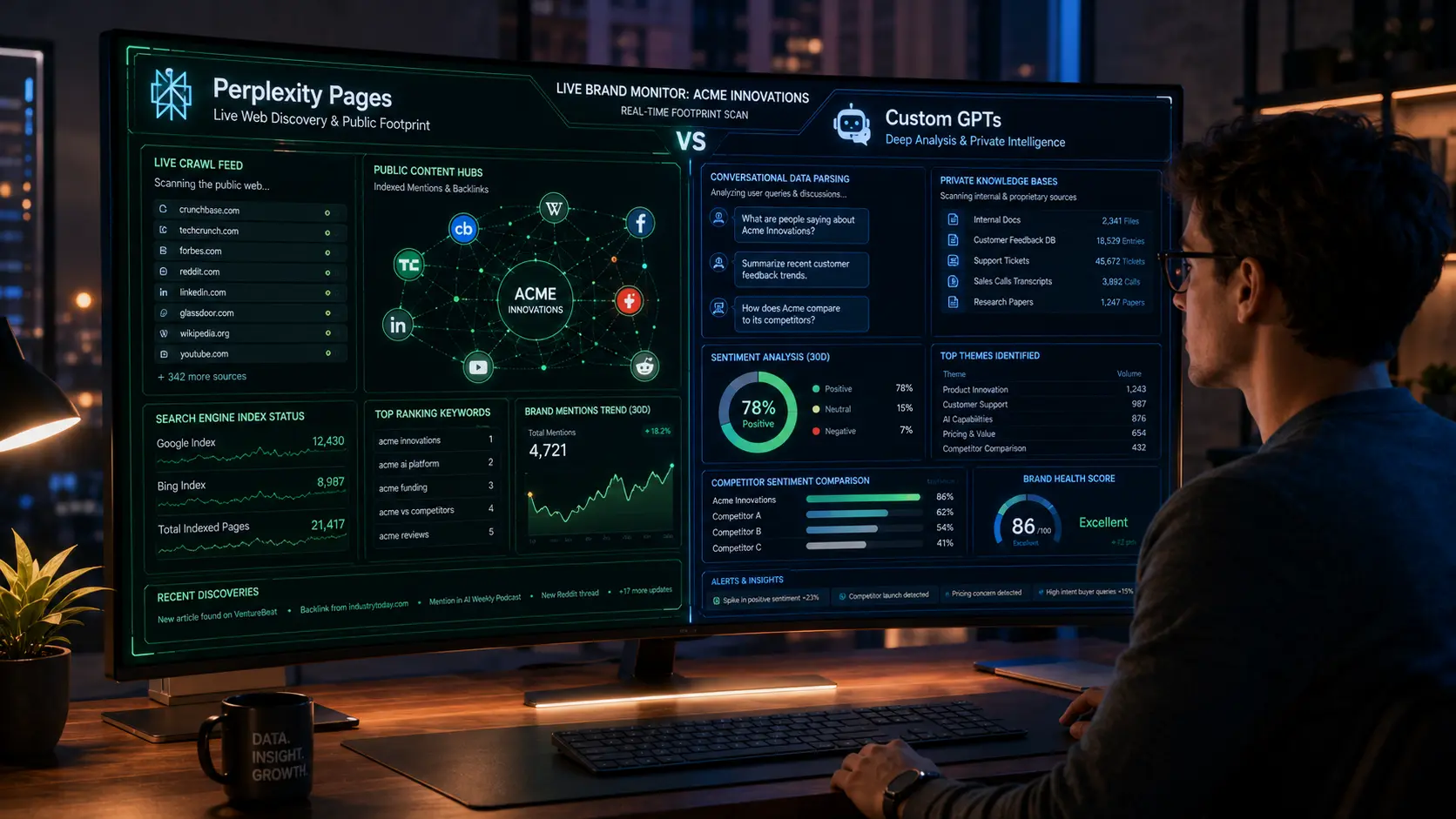
The short version, before we get into why: Perplexity is the one that can actually see the live web right now. Custom GPTs, by default, can't, unless you turn on browsing and even then it's search-on-request, not a standing watch. That single difference shapes almost everything else in this comparison, so keep it in mind as we go.
Architectural Comparison: Perplexity Pages vs Custom GPTs
Real-Time Web Scraping and Search Engine Integration
Perplexity's entire product is built around live retrieval. Every query triggers a fresh search across indexed web sources, and Perplexity Pages inherit that same underlying search infrastructure when you build a page around a topic, in this case, your own name or brand. Ask it "what has been published about [your name] in the last week" and it will actually go look, then cite what it finds.
Custom GPTs run on OpenAI's base model plus whatever you've configured, and by default they answer from training data, not live search. You can enable the browsing tool when you build the GPT, which lets it search on a per-query basis when you ask it to. That's meaningfully different from Perplexity's default behavior of searching automatically on every relevant prompt. A Custom GPT with browsing enabled is capable of finding a mention if you explicitly ask it to look; it will not proactively notice one on its own.
Knowledge Base Customization and Static File Memory
Here's where Custom GPTs pull ahead, and it's a real advantage, not a consolation prize. You can upload your own files (a list of your published articles, your brand style guide, a document defining what counts as "your brand" including any name variations or old company names you've rebranded from) and the GPT will reference that static knowledge on every single query, no re-uploading required. Perplexity Pages don't have an equivalent private knowledge base in the same sense. They're built around live web content, not a document store you control.
If your brand tracking needs judgment calls (is this mention actually about you, or about someone else with a similar name) a Custom GPT with a well-built knowledge base can make that call more consistently, because you've told it exactly what disambiguates you from anyone else.
The User Interface: Public Content Hubs vs Conversational Chatbots
Perplexity Pages are public by design. You build one, it lives at a shareable URL, and anyone can view it. That's a strange fit for brand tracking if you're monitoring something sensitive, but it's genuinely useful if what you want is a public-facing "mentions of me in the press" hub you can link from your own site or portfolio. Custom GPTs live inside a private chat interface. Nobody sees your queries or the GPT's answers unless you show them. For anything you'd rather keep to yourself, the Custom GPT's privacy is the better default, and we'll come back to that tradeoff later in the privacy section.
Real-Time Brand Mention Tracking and Search Mechanics
Scraping Live Forums, News Outlets, and Social Feeds
Perplexity's index leans heavily on indexed web content: news sites, blogs, Reddit threads, and other crawlable pages. It's genuinely decent at surfacing a Reddit thread where someone mentioned your product by name, assuming that thread is indexed and recent enough to show up. What it's weaker at is anything behind a login wall or anything platform-specific like Instagram comments or TikTok replies, most of which aren't publicly crawlable the way a blog post is.
A Custom GPT with browsing turned on hits the same wall, and arguably a harder one, since it's not optimized as a search-first tool the way Perplexity is. If your brand mentions tend to happen in public blog posts and forums, Perplexity has the edge here. If they tend to happen in places neither tool can see anyway (private Discord servers, closed Facebook groups), you need a different solution entirely, and neither of these tools is going to solve that for you.
Handling Regional Search Variations and Localized Brand Mentions
If you're a Pakistani freelancer whose name might get mentioned on a local blog, a Reddit thread in r/pakistan, or a regional news site, both tools search the open web without a strong regional bias by default, though Perplexity's search does tend to weight results by relevance signals that can favor larger, more established outlets over smaller regional ones. Neither tool lets you cleanly restrict a search to "Pakistani sources only" the way a dedicated tool with region filters might. You can nudge it with an explicit prompt ("prioritize Pakistani news outlets and forums in your search"), and that helps, but it's a workaround, not a built-in feature.
Speed and Latency of Web Data Retrieval
Perplexity typically returns results in a few seconds because live search is its core function, optimized end to end. A Custom GPT with browsing enabled tends to feel slower for the same kind of query, since browsing is layered on top of a general-purpose chat model rather than being the model's primary job. If you're doing a quick daily check, that latency difference is noticeable but not dealbreaking. If you're trying to build something closer to real-time alerting, it matters more, and honestly, neither tool is fast enough to replace a proper alert system that pings you the moment a mention appears. Both are "check when you remember to check" tools at their core, not "notify me instantly" tools, unless you wire in automation yourself, which we'll get to.
Data Curation, Organization, and Report Generation
How Perplexity Pages Structures Visual Content Layouts
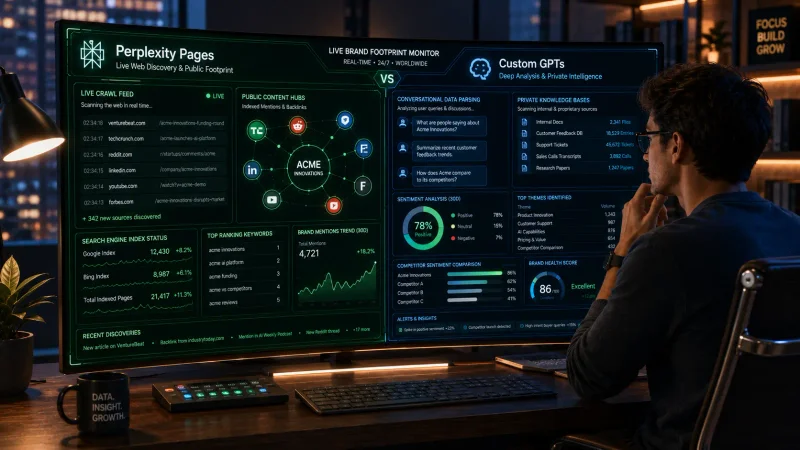
A Perplexity Page auto-generates a reasonably clean layout: a summary section up top, followed by organized subsections with linked sources. If you're building a page titled "Mentions of [Your Name] in Tech Blogs," it will pull results into readable sections without much manual formatting work on your end. It looks presentable enough to share as a link, which is honestly one of its more underrated features for a solo creator who wants something screenshot-worthy for a portfolio or a client update.
Formatting Custom GPT Outputs via Markdown, Tables, and JSON
Custom GPTs give you far more control over output format, because you define it in the instructions. Want every mention returned as a markdown table with columns for source, date, and a one-line summary? You can specify that in the GPT's configuration and it'll follow the format consistently across sessions. Want raw JSON so you can pipe it into a spreadsheet or another tool? That's a reasonable ask too. Perplexity Pages don't give you that level of structural control; you get their layout, not yours.
Managing Citations and Source Link Verification
Perplexity cites its sources by default, with clickable links next to each claim, and this is one of its genuine strengths. You can verify a mention is real by clicking straight through, which matters a lot for brand tracking since a false positive (the tool claiming a mention exists that doesn't) wastes your time and can lead to embarrassing overreactions if you act on it. Custom GPTs with browsing enabled also return links when they search, but citation consistency depends more heavily on how you've prompted it. Build the instruction to always include a source link for any claimed mention, or you'll occasionally get an unsourced claim that sounds plausible and isn't verifiable.
Workflow Automation and Continuous Brand Monitoring
Be honest with yourself before this section: neither tool is a plug-and-play monitoring system. Both require you to manually trigger a check, or manually wire up automation yourself using outside tools. If you're picturing something that silently watches the internet and pings your phone the second your name appears, that's not what you're building here with either platform alone.
Setting Up Repetitive Curation Loops with Perplexity Hubs
The closest thing to a "loop" with Perplexity Pages is a routine you build for yourself: revisit the same page weekly, re-run the underlying search, and manually note what's new. Perplexity doesn't currently offer native scheduled re-runs of a Page that automatically refresh and notify you on a timer. That means the "automation" here is really just a calendar reminder on your end to go check the page again.
Integrating Custom GPTs with Zapier and External Webhooks
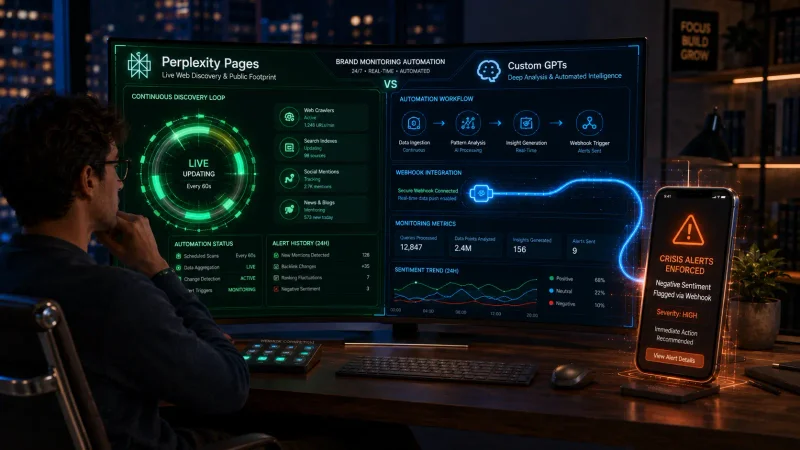
This is where Custom GPTs can genuinely pull ahead for a technically comfortable solo user. Through OpenAI's Actions feature, you can connect a Custom GPT to external services, including Zapier, which opens the door to more automated workflows: a scheduled Zap that triggers a GPT query, then routes the result into a Google Sheet, an email, or a Slack message to yourself. It takes real setup work, not a five-minute toggle, but it's a workflow Perplexity Pages simply doesn't offer natively.
Building Automated Notification Systems for Crisis Management
If a mention of your name turns negative fast (a bad review going viral, a misquote spreading), you want to know quickly, not next Tuesday when you remember to check your tracking page. Realistically, building true crisis-speed notification means combining a scheduled search (via Zapier plus a Custom GPT, or a separate free tool like a Google Alert as a backup layer) with a notification channel you actually check, like email or a phone push. Neither Perplexity nor Custom GPTs alone gives you that out of the box. Treat both as the analysis layer in a system you still have to assemble, not the whole system.
Privacy, Security, and Proprietary Data Handling
Protecting Sensitive Competitor and Internal Brand Data
If your brand tracking involves anything sensitive (unreleased product names, internal pricing you don't want public, competitor research you're keeping private), remember that Perplexity Pages are public by default. Don't build a page around information you don't want indexed and shared. Custom GPTs are private to you (or to whoever you explicitly share them with), which makes them the safer default for anything that isn't meant for public eyes.
Data Retention and Model Training Opt-Out Policies
Both OpenAI and Perplexity offer settings to limit whether your conversations or uploaded files are used to train future models, though the exact toggle names and defaults change often enough that you should check each platform's current privacy settings directly rather than trust a blog post's memory of them. If you're uploading anything remotely sensitive to a Custom GPT's knowledge base, check that setting before you upload, not after.
Managing Internal Brand Tracking Across Remote Teams
Most solo creators reading this aren't managing a team, but if you eventually bring on a virtual assistant or a small remote collaborator to help with brand monitoring, Custom GPTs can be shared with specific people while keeping the underlying instructions and knowledge base private to you as the builder. Perplexity Pages, being public, don't offer that same access control; anyone with the link sees everything.
The Final Verdict: Which Tool Should Track Your Brand?
When to Choose Perplexity Pages for Public-Facing Content Curation
Choose Perplexity Pages when you want something fast to set up, genuinely live, and presentable enough to share publicly, like a "press mentions" page linked from your portfolio. It's the better tool for pure discovery: finding out what's out there right now without much configuration.
When to Choose Custom GPTs for Private, Deep Semantic Analysis
Choose a Custom GPT when you need judgment calls a generic search can't make (distinguishing your brand from a similarly named one), when privacy matters, or when you want structured output you can pipe into a spreadsheet or automation. It takes more setup upfront, but the payoff is a tool that actually understands what "your brand" means, not just what string of characters to search for.
The Hybrid Tracking Framework for Maximum Market Intelligence
Realistically, the best setup for a solo creator uses both. Perplexity Page for the live discovery pass, weekly. Custom GPT with a disambiguation-aware knowledge base for filtering out false positives and formatting what you find into something you can actually act on or file away. Neither replaces the other. Together, they cover more ground than either does alone, at a fraction of what a paid monitoring tool costs.
Frequently Asked Questions
- Can Perplexity Pages track private social media groups or Slack channels?
- No. Neither Perplexity Pages nor Custom GPTs can access private, login-gated, or invite-only platforms like Slack channels, private Facebook groups, or closed Discord servers. Both tools work from publicly indexed or publicly searchable content. If a mention of your brand happens somewhere private, you won't find it through either tool, and you shouldn't expect to. For that, you'd need to be a member of the space yourself and check it manually.
- Do I need a paid subscription to use Custom GPTs and Perplexity Pages for brand tracking?
- Custom GPTs require a ChatGPT Plus subscription or higher to build and use. Perplexity offers a free tier with limited daily searches, and Pages are accessible on the free tier as well, though with usage caps that a heavy daily tracking habit will bump into. For a true budget setup, Perplexity's free tier plus a ChatGPT Plus subscription you might already have for other work is realistic; going fully free on both sides will feel restrictive fast.
- How do Perplexity Pages and Custom GPTs handle fake news or spam brand mentions?
- Neither has a dedicated spam or misinformation filter built for brand tracking specifically. Perplexity's citation links let you manually verify a mention is real and from a legitimate source, which is your actual defense against false positives. A Custom GPT can be instructed to flag low-credibility sources if you build that instruction into its configuration, but it's relying on the model's general judgment, not a purpose-built spam filter. Manual verification remains your responsibility with both tools.
- Can I white-label a Perplexity Page to send directly to my digital marketing clients?
- Perplexity Pages don't currently offer white-labeling, custom branding, or removal of Perplexity's own interface elements. You can share the page link with a client, but it will visibly be a Perplexity Page, not a branded report under your own agency name. If white-labeled client reporting matters to your business, you'll likely need to export findings and rebuild them in your own document or slide template rather than sending the raw Page link.
- Which platform is better for tracking technical brand mentions like code repositories and API usage?
- Perplexity has a practical edge here since GitHub repositories, technical forums like Stack Overflow, and developer blog posts are generally well-indexed and searchable through its live retrieval. A Custom GPT can search similarly with browsing enabled, but you'd get more consistent results from Perplexity for this specific use case since developer content tends to be exactly the kind of indexed, crawlable material its search is built around.
Conclusion — Building an Automated Brand Reputation System with Next-Gen AI
Neither tool was built to be a brand monitoring product. That's worth repeating because it's easy to read a comparison like this and walk away thinking one of them is secretly Mention.com in disguise. It isn't. Perplexity Pages gives you fast, live, citable search wrapped in a shareable format. Custom GPTs give you private, customizable analysis with real automation potential if you're willing to connect it to Zapier and put in the setup time. Both require you to show up and do the checking, or build the automation yourself. That's the honest tradeoff for not paying $41 a month.
If competitor research is part of your broader content strategy alongside brand tracking, using DeepSeek for competitor analysis covers the adjacent workflow of watching what other people in your space are doing, not just what people are saying about you. And if brand tracking is part of a bigger push to build your name up in the first place, building a personal brand as a freelancer in 2026 is the piece to read before this one, not after.
Here's the setup to try this week if you're a solo creator on a real budget: build a Perplexity Page titled with your name or blog name plus "mentions," check it every Monday morning as a five-minute habit, and separately build a Custom GPT with a short knowledge base file that defines exactly what counts as a match for you (your full name, your blog's name, any name variations, and one sentence on what you do, so the model can rule out unrelated people who share your name). Ask that GPT to search and format any new findings into a simple markdown table each time you run it. That's two free-to-low-cost tools, roughly ten minutes a week, and no $41 monthly bill.
Related Articles
Explore the AI Tools hub →
Use DeepSeek for Advanced Competitor Analysis
DeepSeek won't crawl your competitor's backlinks, but it will out-think Ahrefs on the parts you can actually feed it.
7 Best Free AI Transcription Tools for Content Creators (2026)
Seven real, tested free transcription tools, with the honest limits nobody puts on their pricing page.

Master System Prompts for Content Auditing: A Step-by-Step Guide
Build one system prompt that audits your drafts for thin content and E-E-A-T gaps in seconds instead of hours.