
9 Best Free Rank Tracking Tools for Bloggers (2026)
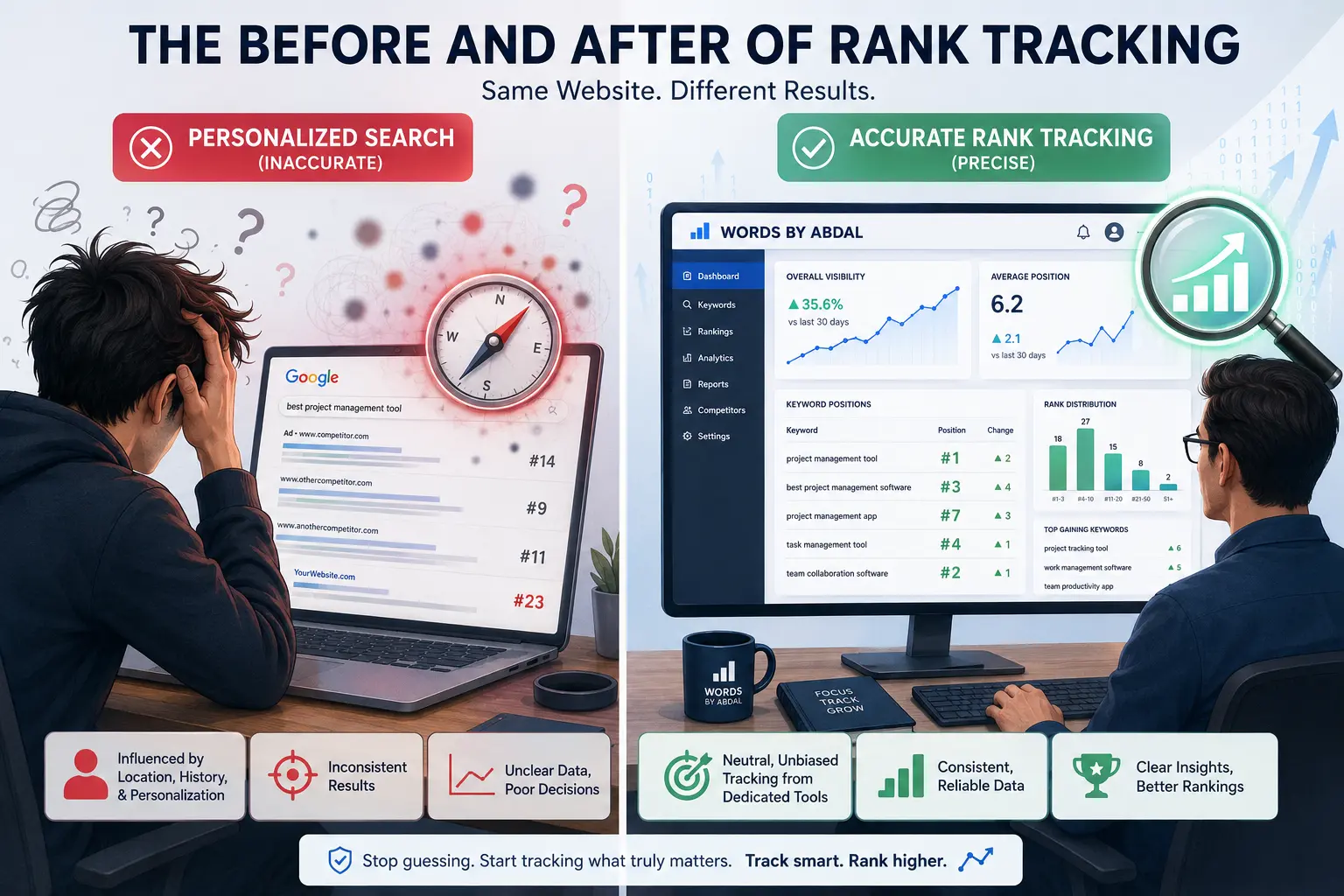
Searching your own keyword on Google and checking where your site appears is not rank tracking. It looks like rank tracking. But Google is feeding you a customized result built from your search history, your device, your location, and whether you are signed into your account. You could be at position 4 for a keyword while 90% of the country sees you at position 19. That is not a minor discrepancy. It is the gap between getting real traffic and refreshing your analytics wondering what went wrong.
Free rank trackers pull data from neutral sources — either directly from Google's own API, or through proxy networks that simulate clean, unlogged searches. Most bloggers skip these tools because they assume anything useful costs money. Several of the best options do not.
This article covers six free tools that give accurate SERP data for new blogs: what each one actually does, where its free tier runs out, and how to slot it into a real tracking workflow.
Why Traditional Google Searching Fails for Bloggers
The Hidden Trap of Algorithmic Personalization
Google's results are not the same for everyone. When you search a keyword you have looked at dozens of times before, Google factors in your browsing behavior and surfaces what it believes is relevant to you. Your own site gets a quiet boost in your personal results because Google has learned you engage with it. So you look like you are ranking better than you are.
This is not Google doing something wrong. Personalization works for regular users. For a blogger trying to measure actual organic performance, it breaks the measurement entirely. Searching in Incognito with your account logged out helps a bit, but your IP address still anchors results to your city or region. Which is the second problem.
Why Localization Distorts Your Actual Organic Positions
A search for the same keyword from Lahore and from Toronto does not return the same page-one results. Google weights results differently depending on regional search behavior, local link signals, and what it thinks the intent is in that location. If your blog targets a global English audience and you are checking your rankings from one city, you are seeing one slice of a much bigger picture.
The average position Google reports across all users could be ten spots different from what you see locally. That discrepancy matters when you are trying to figure out whether a post is close to page one or stuck mid-table. Tools that use Google's own aggregated data, or that simulate searches from a specified neutral location, are the only way around this.
1. Google Search Console: The Only 100% Accurate Baseline
Every other rank tracker on this list is an estimate. Google Search Console is the only tool pulling directly from Google's own data, which means it is the only source that tells you exactly what Google served to actual users who searched your keywords. No scraping, no approximation.
The limitation is that GSC shows averages. You do not see your position on each individual search. You see an average across every time Google showed your URL for a given query during the date range you select. For most new blogs, that average is more useful than a single snapshot anyway.
Mining the Performance Report for Real Average Positions
Open the Performance report, set Search type to Web, and set your date range to the last 28 days. Enable the Average Position metric by clicking it at the top — it is not shown by default. Now you have a table of every query your site appeared for, with impressions, clicks, CTR, and average position all available as sortable columns.
Sort by impressions descending. The keywords that come up will include plenty of queries you never specifically targeted, which tells you something useful about how Google has interpreted your content. More importantly, any keyword sitting between position 8 and 20 with a few hundred impressions is a signal. Google is already showing your URL. It is not convinced you belong higher. That distinction tells you where to focus your editing time.
Setting Up Custom Regex Filters to Track Content Clusters
GSC supports regex filtering on queries, so you can group related keywords and track them as a topic cluster rather than checking individual keywords one by one. If you cover TikTok content strategy, a filter like tiktok.*(growth|followers|views|algorithm) pulls all queries matching that pattern into a combined view showing impressions, clicks, and average position for the whole cluster.
For a new blog this view is often more revealing than individual keyword data. A TikTok cluster pulling 4,000 impressions at an average position of 16 tells you the content is indexing, Google is surfacing it, and the topic has traction — even if no single post has broken into the top 5. That is worth knowing before you decide whether to write more on that topic or move elsewhere.
2. JaySearch: The Best GSC-Powered Automated Tracker
JaySearch connects to your Google Search Console account through the official API and automates what GSC makes you do manually. Instead of logging in, setting a date range, and running filters every week, JaySearch surfaces keyword position movement in a dashboard and sends you summaries on a schedule you set.
The cluster monitoring feature works the same way as the regex filtering in GSC, but without the manual setup each time. You define seed keywords and JaySearch groups related queries from your GSC data, then tracks their combined average position week over week.
Automating Daily Keyword Audits Without Scraping Errors
JaySearch reads from the GSC API rather than scraping Google directly. This distinction matters more than it might seem. Scrapers get blocked or rate-limited when Google updates its detection, which means some free rank trackers produce inconsistent or outright wrong data during those periods. JaySearch avoids that entirely because it never touches Google's front-end.
The free tier covers one website and gives you a 90-day rolling history of keyword data. For a blog with fewer than 50 actively tracked keywords — which describes most new blogs — that covers everything you need.
Utilizing Free Cluster Monitoring for New Blogs
Say you are building out a content cluster around TikTok SEO. JaySearch will pull all queries matching that theme from your GSC data and track their combined movement weekly without you doing anything after the initial setup. A cluster moving from average position 22 to 16 over a month means your content is gaining authority in that topic area. You see it in the trend line without logging into GSC and rebuilding the filter each time.
3. Ahrefs Free Keyword Rank Checker: Instant SERP Snapshots
Ahrefs runs a free rank checker at their public tools page that requires no account. You enter a URL, a keyword, and a country. It returns the current position, keyword difficulty, and search volume from Ahrefs' own cached index, which updates every 24 to 48 hours. No dashboard, no tracking history, no automation.
This is a one-question-at-a-time tool. You use it when you want a fast answer about a specific URL and a specific keyword, not to monitor a whole site.
Spotting Featured Snippets and People Also Ask Features
The result page shows more than a position number. It tells you what SERP features exist for that keyword — featured snippets, People Also Ask boxes, video carousels, image packs — and flags whether your URL currently holds any of those features. A post ranking at position 6 for a keyword that has a featured snippet is in a very different position than one ranking 6 without that feature present.
If your article ranks at 7 and a featured snippet slot exists above position 1, there is a structural question worth asking: does your content contain a direct, concise answer to the query in a format Google could extract as a snippet? If not, that is an edit worth making before doing anything else to the post.
Benchmarking Your Free URL Against the Top 10 Competitors
The tool shows the full top 10 for the keyword alongside your position, including the domain rating and traffic estimate for each competing URL. When you are evaluating whether to write a new post on a given topic, this gives you a fast read on what you are up against. A top 10 full of DR 70+ sites does not mean you cannot rank, but it means you need more than a 1,000-word post and a couple of internal links. Looking at which niches have a more accessible top 10 before you write saves you a lot of time.
Free tier limitation: One URL, one keyword per search. No history, no alerts, no bulk checking.
4. Serpfox: Best Free Tool for Automated Tracking Routines
Serpfox has a genuine free plan with no time limit and no credit system. You create an account, add your blog as a project, and enter keywords to track. Serpfox checks those keywords daily and logs each position so you build a history over time. When you log in a month later, you see a trend line, not just a snapshot.
The free plan covers 10 keywords. That forces a useful constraint early on.
Setting Up Forever-Free Tracking for Your Top 10 Keywords
When you are starting out, 10 keyword slots is not a restriction — it is a focus mechanism. Pick the 10 posts you have already published that target the clearest, most specific keywords. Not category-level topics, not vague titles. The specific phrase each post is written to rank for. Add those to Serpfox, set your country and search engine, and let it run for 30 days.
After a month you have a trend line. A keyword moving from position 38 to 22 over four weeks tells you the post is indexing properly and gaining authority. A keyword stuck at position 41 for the full month probably needs something: more internal links pointing to it, a content update, a stronger title tag. The trend makes those decisions obvious in a way that a single-day rank check never will.
Scheduling Automated Mobile vs. Desktop Position Reports
Serpfox tracks mobile and desktop positions separately in the same project. Google's mobile and desktop indexes differ — not dramatically on most keywords, but enough that a post ranking 5 on desktop might sit at 12 on mobile if the mobile SERP includes a video carousel or a People Also Ask box that pushes organic results down. For a Pakistani audience or any audience where most traffic comes from phones, the mobile rank is the real number. Check both, but weight your decisions toward mobile.
5. SEO Review Tools: The Best Multi-Keyword Bulk Checker
SEO Review Tools has a free rank checker that accepts up to 10 keywords in a single batch. Paste your domain, paste 10 keywords one per line, pick a country, and within about a minute you get a results table showing position, URL, and some basic SERP data for all 10 keywords at once. No account required.
The fastest use case is competitor research. Enter a competing blog's domain instead of yours to check where they rank for the keywords you are targeting. Ten keywords at once, no login, results in under a minute.
How to Input Up to 10 Keywords Simultaneously for Quick Audits
The input box takes one keyword per line. Paste in 10, hit check, get a table. If one of your pages shows up ranking for a keyword you did not know it was targeting, that is information worth following up on in GSC — find out how many impressions it is getting and whether there is traffic attached to that accidental ranking.
This tool is also useful right after publishing. Run a check at the two-week mark, the four-week mark, and again at eight weeks for a new post. You will not see much movement in week two, but by week eight you should be able to tell whether the page has entered the index at all and roughly where it landed. If a post still shows no position data at eight weeks, there is likely an indexing problem worth investigating.
Exporting Clean CSV Reports for Competitor Analysis
The results table exports directly to CSV. Download it, paste it into Sheets, and you have a clean dataset. Run the same check monthly and you can build a manual tracking log for the keywords that matter most. It is not automated and it requires you to actually do it each month, but for a blog running lean it costs nothing and takes about five minutes.
Free tier limitation: No saved history, no project tracking, no alerts. Every check is a one-time manual snapshot.
6. Seobility: The Ideal Choice for Localized Tracking
Seobility has a full SEO platform with a free tier that includes rank tracking for 10 keywords, a crawl report for up to 1,000 pages, and basic on-page scoring. What separates it from the other tools here is the ability to track rankings at the city level. You can set your project to simulate searches from Karachi, from London, from Houston — wherever your target readers actually are.
For a blog that covers topics specific to Pakistan, or that wants to verify its content is visible to Pakistani readers and not just ranking globally, this is more useful than country-level tracking.
Testing Search Positions from Specific Cities and Regions
When you add a keyword to a Seobility project, you select a country and optionally a city. The tracker then checks that keyword as though a user in that city searched it on Google — no personalization, no account history, just a clean localized search. If you rank position 4 in London but position 17 in Karachi for the same keyword, that tells you something specific about where your content is gaining traction and where it is not.
City-level tracking is also useful for informational blogs targeting multiple English-speaking markets. You can run the same keyword in three different cities and see where your content is strongest, which often reflects where your inbound links are coming from.
Analyzing Competitor Metadata Snippets Directly in the SERPs
Seobility's rank tracking dashboard shows the meta titles and descriptions of the pages currently outranking yours. You do not have to manually search the keyword and read through the top 10. The competitors are right there in the same view as your position data.
This is most useful when your post ranks at position 9 or 10 and you want to understand why the posts above you are there. Usually it comes down to one of three things: stronger title tags, richer metadata, or more directly relevant content. Seeing the competitors' titles and descriptions alongside your own makes that comparison fast.
Free tier limitation: 10 tracked keywords, one website, daily updates.
How to Choose a Free Rank Tracker for Your Workflow
When to Use On-Demand Single Checkers vs. Automated Dashboards
On-demand tools — Ahrefs' free checker, SEO Review Tools — work for research. You use them when you have a specific question: where does this post rank right now, or where does my competitor rank for this keyword. No setup, no account in some cases, results in under two minutes. The downside is that you only know what you check. There is no history and no alerts.
Automated dashboards — Serpfox, Seobility — work for monitoring. Set them up once and you have a trend line building passively in the background. Log in weekly, see what moved, decide what to act on. The 10-keyword cap on both free plans is a real constraint, but it also keeps you focused on the posts that actually matter rather than tracking 200 keywords you are not doing anything with.
The practical approach for a new blog: use on-demand checkers for pre-writing research and competitor audits, and keep an automated tracker running on your 10 best posts. Both tools, used for what they are actually built for.
Understanding the Keyword Limits of Freemium SEO Platforms
Ten keyword slots is the standard on most free rank trackers. It roughly covers one post per main topic category for a new blog — which is not that far off from what you should be actively monitoring at any given time.
The temptation is to game the limit by making multiple accounts. Most platforms detect duplicate signups and either rate-limit or ban them. It is not worth the hassle. A cleaner approach: rotate your tracked keywords quarterly. Once a keyword has held a stable position for 60 days without significant movement, remove it from the tracker and replace it with a newer post that is still climbing. Your 10 slots stay focused on positions that are actually in flux.
Essential Tracking Metrics for New Blogs Aiming for AdSense
Monitoring Search Visibility and Average Position Movement
Average position alone is not a useful number. A post at position 18 is not inherently better or worse than one at position 30 — what matters is the direction it has moved over the past 30 to 60 days. A post dropping from 18 to 24 over a month needs attention. A post climbing from 30 to 18 over the same period is doing exactly what you want, even though neither number sounds impressive.
For AdSense approval in 2026, Google reviews whether a site has genuine organic presence. A blog with 8 to 10 posts pulling impressions in GSC — even at weak positions — demonstrates that the content is indexed and visible. You do not need to be ranking on page one. You need to show that real users are triggering your URLs in search, even if they are not clicking yet.
Tracking Impressions to Spot Hidden Helpful Content Growth
Impressions in GSC count every time your URL appeared in a search result, regardless of whether the user clicked. A post with 2,500 monthly impressions and a 0.4% click-through rate is appearing in front of real searchers 2,500 times. They are just not clicking. That is almost always a title or meta description problem, not a content quality problem.
Impression growth is also a leading indicator. A post that goes from 300 monthly impressions to 1,100 over six weeks — without a meaningful position change — is a post that Google is beginning to trust more broadly. More queries are triggering it. That typically precedes a position improvement by a few weeks. If you update that post before the position bump arrives, you catch the wave. If you wait until you see the traffic, you are always a step behind.
- Can I check my keyword positions accurately without using an SEO tool?
- Not reliably. Manual Google searching returns personalized results shaped by your account, your search history, and your physical location — none of which reflect what most of your readers see. Searching in Incognito mode with your account signed out helps, but your IP address still ties results to your city. The only accurate baseline for actual organic positions is Google Search Console, which aggregates average position data across all real users who saw your URL in search results — not a version personalized to you.
- How often do free rank tracking tools update their data?
- It varies. Serpfox and Seobility update tracked keywords daily on their free plans. Google Search Console data typically lags by 2 to 3 days, so positions you see today reflect searches from a few days ago. On-demand tools like the Ahrefs free checker pull from a cached index that updates every 24 to 48 hours. None of these show real-time positions, but for a new blog running weekly check-ins, daily updates are more than sufficient.
- Why does my rank tracker show a different position than my live mobile search?
- A few things cause this. Your live mobile search includes personalization from your Google account and search history. Your rank tracker might be pulling desktop rankings by default, and Google's mobile and desktop SERPs are not identical — a mobile SERP often has different SERP features that push organic results down. Most trackers also use a fixed geographic location, while your phone search reflects wherever you physically are. For accurate comparison, match your tracker's location and device settings, and always treat GSC data as the more reliable reference point.
- What is the difference between search volume and keyword rank tracking?
- Search volume estimates how many times a keyword is searched per month across all users — it is a measure of demand. Rank tracking measures where your specific URL currently sits in search results for that keyword — it is a measure of your current standing. High search volume tells you a keyword is worth going after. Rank tracking tells you whether your content is actually in the game. You need both, but they answer different questions and should never be used as substitutes for each other.
- Is there a completely free rank tracker that allows unlimited keywords?
- Not in any practical sense. Google Search Console surfaces unlimited keyword data but only as aggregate averages — you cannot set up individual tracked keywords with trend lines and alerts. Every dedicated rank tracker limits free accounts to somewhere between 10 and 50 keywords. JaySearch arguably has the most flexible free access because it reads from your existing GSC data rather than running independent SERP checks, so it can surface a broader range of keyword insights from that data without the same hard caps that apply to scraped trackers.
Conclusion — Build Your Free Search Performance Dashboard
The setup that works for a new blog without spending money: Google Search Console as your data foundation, Serpfox or Seobility for automated daily tracking on your 10 most important posts, and the Ahrefs free checker or SEO Review Tools for competitor research before and after publishing. Those three layers cover the full workflow.
Here is what to do today. Open Google Search Console. Pull the Performance report for the last 90 days. Sort by impressions descending. Find the three posts sitting between position 8 and 25 with the highest impression counts. Those are your fastest movers. Update each one — tighten the title, strengthen the introduction, add a section that directly answers the search intent — then add all three to Serpfox and track them for the next 30 days. In a month you will have data telling you whether those edits moved the needle. That is the whole system. Start there.
Related Articles
Explore the SEO & GEO hub →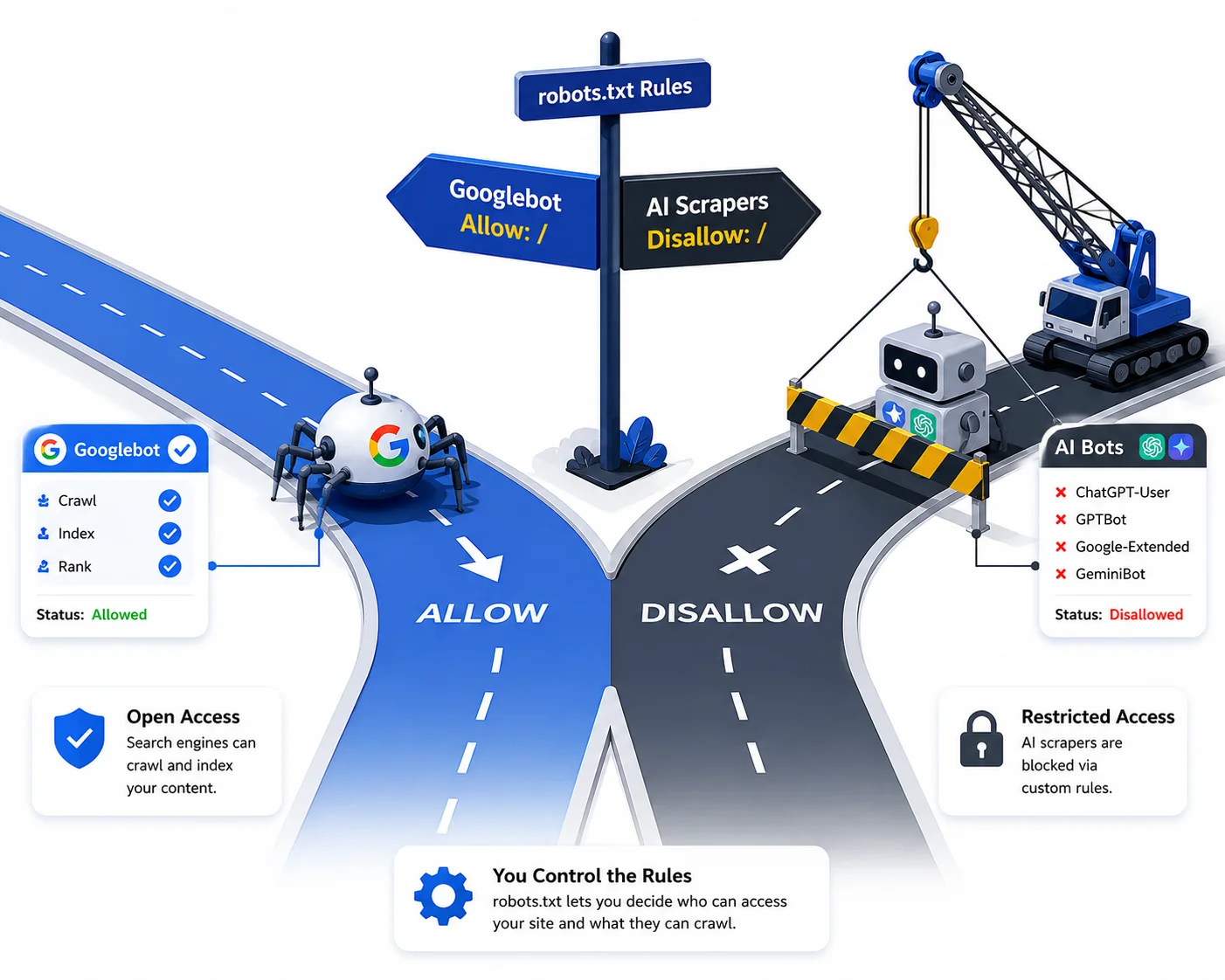
How to Fix Robots.txt Errors on Your Blog (2026)
One wrong line in your robots.txt file can wipe your entire blog from Google — here's how to find and fix every common error before it costs you traffic.

How to Read Google Analytics 4: A Beginner Guide
GA4 looks like a foreign language until you know where the numbers actually live.

How to Add Real Statistics to AI Content for Higher Ranks
AI content without real data doesn't rank — here's exactly how to find, inject, and cite statistics that Google's quality raters actually reward.