
Email Marketing Basics for Content Creators

A creator with 200,000 followers on one platform woke up one morning to a suspended account and no explanation beyond a boilerplate policy violation notice. No appeal went through. No follower list to export, no way to message the audience that took years to build, nothing. The business, the brand deals, the community, all of it lived inside a platform that owed the creator nothing and answered to no one. The only asset that would have survived that morning was an email list, and this creator never built one.
That scenario isn't rare, and it isn't limited to accounts that broke the rules. Wrongful suspensions, algorithm resets that bury reach overnight, and platform policy changes that gut a specific content format happen constantly, and none of it is predictable or appealable in any reliable way. An email list is the one channel a platform can't touch, can't demonetize, and can't delete on your behalf.
This guide covers what actually matters for a creator starting from zero: which email platform to pick and why, how to build a lead magnet people actually want, how to structure a welcome sequence that converts new subscribers into fans, what to send week to week without burning out, and the specific legal rules (not vague gestures at "following the law") that keep a list compliant under CAN-SPAM and GDPR.
Why Email Marketing is Vital for Content Creators in 2026
Algorithm Proofing Your Creative Business
Every social platform controls three things a creator doesn't: who sees the content, how the algorithm interprets and ranks it, and whether the account stays active at all. A policy change, a shadowban, or a full suspension can happen with no warning and no reliable appeal process, and creators have watched this play out repeatedly across every major platform over the past several years. An email list sidesteps all three, because once someone subscribes, reaching them doesn't depend on an algorithm's mood that day.
This doesn't mean abandoning social platforms. It means treating them as acquisition channels that feed a list you actually control, rather than treating the platform itself as the business.
The Direct-to-Fan Advantage: Higher Engagement and Conversion Rates
A well-run email list consistently outperforms social reach for actual conversions, product launches, course sales, freelance inquiries, because the intent behind subscribing is different. Someone following an account on Instagram might never open the app again. Someone who handed over their email address made a small, deliberate commitment to hear more, which is why email open rates for engaged creator lists typically run in the 30% to 50% range, while organic reach on most platforms for a given post often sits in the low single digits of total followers.
Building an Asset You Fully Own and Control
A follower count isn't an asset in any transferable sense; it can't be exported, sold, or moved if a platform shuts down or changes its rules. An email list can be exported as a CSV, migrated to a new platform, and used directly for outreach without any intermediary's permission. This ownership is also what makes an email list valuable if a creator ever wants to sell a product, pitch a sponsor with real conversion data, or pivot business models entirely, since the audience relationship travels with the list, not with any single platform's algorithm.
Choosing Your First Email Marketing Platform (ESP)
ConvertKit (Kit) vs. Substack: Which is Best for Visual and Text Creators?
These two platforms solve different problems, and the honest answer depends on what you're actually building, not a neutral "try both." Kit (formerly ConvertKit) is built for creators who want full control: custom landing pages, detailed automation sequences, tagging and segmentation, and the ability to sell digital products directly. It's the stronger choice for a creator building a real funnel, lead magnets, welcome sequences, product launches, especially visual creators, coaches, and course sellers who need more than a simple publish button.
Substack is built for writers who want to publish and monetize through paid subscriptions with minimal setup friction. It comes with a built-in discovery network that can bring in readers you didn't have to find yourself, which Kit doesn't offer. The tradeoff is control: Substack owns more of the relationship structurally, takes a percentage of paid subscription revenue, and offers far less flexibility for automation or non-newsletter monetization. For a creator whose core product is the writing itself and who wants paid subscriptions with the least setup work, Substack is the better fit. For a creator building funnels, digital products, or anything beyond the newsletter itself, Kit is the stronger long-term platform.
MailerLite and Beehiiv: Top Budget-Friendly Platforms for Beginners
MailerLite offers one of the most generous free tiers available, usable up to 1,000 subscribers with core automation and landing page features included, which makes it a genuinely solid starting point for a creator with no budget yet. It lacks some of Kit's deeper segmentation and creator-specific integrations, but for a first list, that gap rarely matters.
Beehiiv has positioned itself specifically for newsletter creators and has grown fast because of it, offering built-in referral programs, a newsletter-specific ad network for monetization, and clean analytics out of the box. Its free tier is more limited than MailerLite's, capping out at a lower subscriber count before paid plans kick in, but the built-in monetization tools make it worth considering for a creator planning to grow primarily through the newsletter format itself rather than through a separate product.
Key Features to Look For: Deliverability, Forms, and Segmentation
Deliverability, whether your emails land in the inbox instead of spam or promotions tabs, matters more than any other feature, because a beautifully designed email nobody sees is worthless. Check a platform's reputation for this before committing; newer or smaller ESPs sometimes struggle with shared sending infrastructure that gets flagged more often than established platforms.
Forms and landing pages matter because list growth depends on frictionless sign-up; a platform that requires a developer to embed a clean opt-in form is a real obstacle for a non-technical creator. Segmentation, the ability to tag subscribers by interest or behavior and send different content to different segments, matters less on day one but becomes essential once a list passes a few thousand subscribers and one-size-fits-all emails start underperforming.
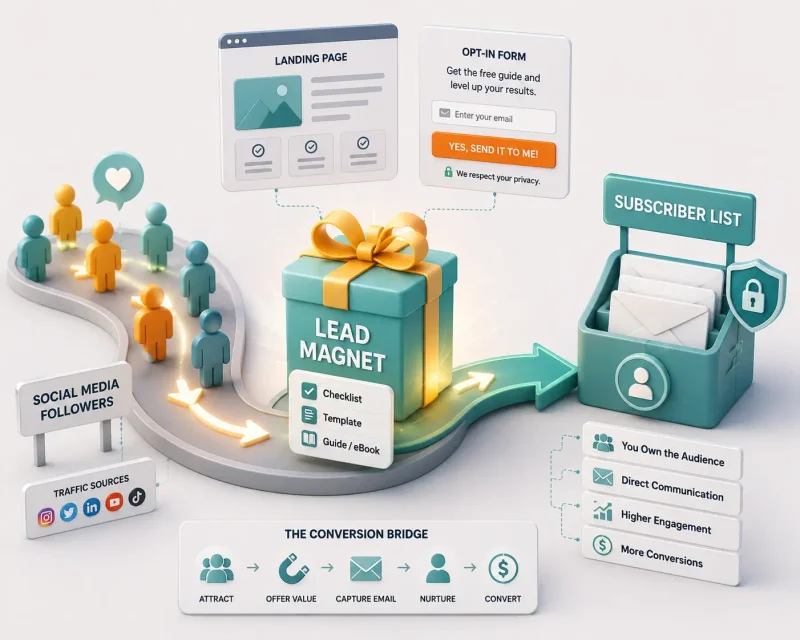
How to Build an Attractive Lead Magnet to Grow Your List
Creating Actionable Checklists, Templates, and Resource Guides
A lead magnet works when it solves one specific, narrow problem immediately, not when it's a broad, vague promise. "50 Content Ideas" performs worse than "10 TikTok Hooks That Got Me Over 1M Views, With the Exact Scripts," because the second one is specific enough that the person requesting it can picture exactly what they're getting. Templates and checklists outperform long-form guides as lead magnets for most creator niches, because they deliver value in minutes, not hours, which matches the low-commitment mindset of someone who just met your content.
Setting Up High-Converting Minimalist Landing Pages
A lead magnet landing page needs exactly one job: convince someone to enter their email. That means one headline stating the specific benefit, one or two supporting bullet points, a single email field, and one button, with no navigation menu pulling attention away to other pages. Adding a preview image of the actual lead magnet (a screenshot of the checklist or template) consistently improves conversion, because it makes the offer feel tangible rather than abstract.
Placing Opt-In Forms Strategically Across Your Blog and Social Media
The highest-converting placements are the ones that appear at a natural decision point, not the ones that interrupt the reading experience the most aggressively. On a blog, an inline form after the introduction (when interest is highest but before the reader has gotten everything they came for) tends to outperform a generic sidebar widget. On social media, a link-in-bio pointing directly to the lead magnet's landing page, rather than to a generic homepage, removes an unnecessary click and measurably improves conversion. Building this kind of clear, singular call to action is part of the same positioning work that goes into building a recognizable personal brand as a freelancer, since a clean opt-in flow signals the same professionalism a client or reader is evaluating you on elsewhere.
Crafting Your First Automated Welcome Email Sequence
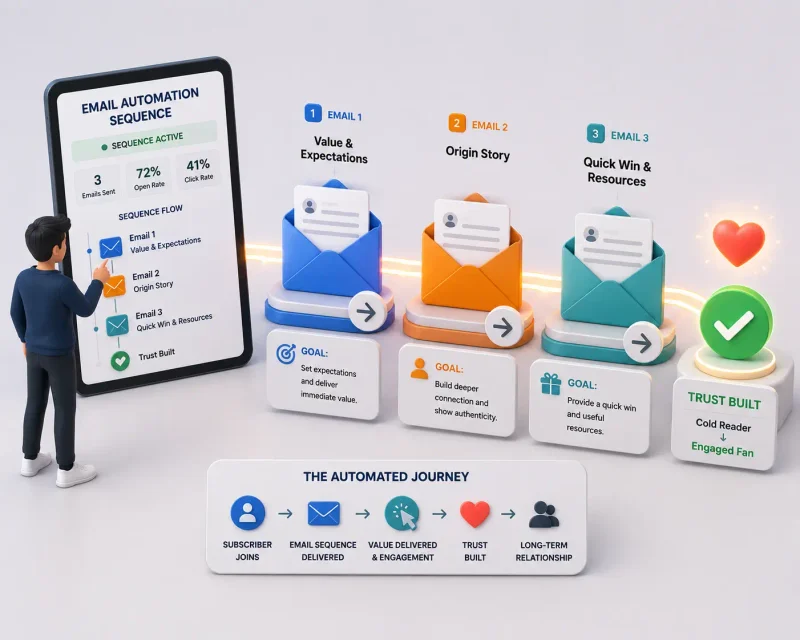
A welcome sequence is the automated series of emails a new subscriber receives immediately after opting in, and it does more work than almost any other email you'll send, because open rates on welcome emails are typically two to three times higher than regular newsletter sends. Here's a working three-email structure with real subject line examples.
Email 1: Delivering the Value and Setting Expectations
Send this immediately upon sign-up. Its job is to deliver the promised lead magnet and set expectations for what's coming next, nothing more.
Subject line example: "Here's your [lead magnet name] (open this first)" Structure: One line thanking them for subscribing, the direct download link or access instructions, one sentence setting expectations ("You'll hear from me roughly once a week, mostly [specific content type]"), and a simple, low-pressure question inviting a reply, which also helps deliverability by signaling engagement to the ESP.
Email 2: The Origin Story and Overcoming a Common Struggle
Send this one to two days after email 1. Its job is building connection through a specific, honest story, not a highlight reel.
Subject line example: "The mistake that cost me 6 months" Structure: Open with a specific, concrete moment (a failed launch, a wasted year on the wrong niche, a public mistake), explain what it taught you, and connect that lesson directly to the value you now provide. This email builds trust precisely because it isn't polished self-promotion; it's a real struggle with a real resolution.
Email 3: Delivering a Quick Win and Introducing Useful Resources
Send this two to three days after email 2. Its job is proving ongoing value beyond the original lead magnet, while introducing what else you offer.
Subject line example: "One thing you can fix in the next 10 minutes" Structure: Deliver one specific, immediately actionable tip unrelated to the original lead magnet, then briefly mention other resources, a related blog post, a product, a service, without a hard sales push. The goal is proving the relationship keeps paying off, which sets up higher engagement on every regular newsletter that follows.
Content Strategies for Engaging Weekly Creator Newsletters
The Curated Digest Format: Sharing Links, Tools, and Value
A digest-style newsletter, a short roundup of useful links, tools, or resources relevant to your niche, works well because it's low-effort to produce consistently and delivers clear value even in a five-minute read. The key to making this format work long-term is genuine curation, not just aggregation; adding one or two sentences of your own take on why each item matters keeps the newsletter from reading like an unedited RSS feed.
The Behind-the-Scenes Storytelling Method
Sharing the process behind a project, a launch, a piece of content, rather than just the polished result, consistently drives higher reply rates and engagement than purely informational content, because it makes the subscriber feel like an insider. This doesn't need to be dramatic; a short note about a decision you made and why, or a number you weren't expecting, works better than a forced narrative arc.
Writing Compelling Subject Lines That Maximize Open Rates
Specific, concrete subject lines consistently outperform vague, curiosity-only ones. "I made $4,200 from one email" beats "You won't believe what happened," because the first one sets a real expectation the email can deliver on, while the second relies purely on a curiosity gap that often reads as spammy and can trigger spam filters that flag exaggerated, clickbait-style phrasing. Keep subject lines under roughly 50 characters where possible, since longer lines get cut off on mobile inboxes, which make up the majority of email opens.
Crucial Legal Compliance and Email Deliverability Rules
Understanding CAN-SPAM and GDPR Rules for Bloggers and Creators
CAN-SPAM, the US law governing commercial email, requires several specific things: an accurate, non-deceptive subject line, clear identification that the email is an advertisement if applicable, your valid physical postal address included in every email, a working, easy-to-find unsubscribe mechanism, and unsubscribe requests honored within 10 business days. It does not require opt-in consent before emailing someone, which is a common misconception, but it does require that every commercial email include all of the above regardless of whether the recipient opted in.
GDPR, which applies if you have subscribers in the EU regardless of where you're based, is stricter. It requires explicit opt-in consent before adding someone to a list (pre-checked boxes or default opt-ins don't count), clear disclosure of what data you collect and why, and the ability for subscribers to request full deletion of their data, not just an unsubscribe from future emails. Most reputable ESPs, Kit, MailerLite, Beehiiv, build GDPR-compliant consent and deletion tools directly into their sign-up forms, but the responsibility for using them correctly still sits with the creator, not the platform.
Setting Up Custom Domains, SPF, and DKIM Authentication
Sending from a custom domain (yourname.com rather than a generic ESP subdomain) improves both deliverability and brand credibility, but it requires setting up SPF and DKIM authentication records in your domain's DNS settings. SPF (Sender Policy Framework) tells receiving mail servers which servers are authorized to send email on your domain's behalf, while DKIM (DomainKeys Identified Mail) adds a cryptographic signature verifying the email wasn't altered in transit. Every major ESP provides these DNS records directly in their setup process; the creator's job is copying them into the domain registrar's DNS settings, which typically takes under 15 minutes and meaningfully reduces the chance of landing in spam.
Managing List Hygiene: Cleaning Out Inactive Subscribers
Subscribers who haven't opened an email in 90 to 180 days drag down overall open rates and, on some ESPs, count against your billed subscriber total without contributing any engagement. Most platforms allow filtering by engagement and running a re-engagement email ("Still want to hear from me?") before removing non-responders. This isn't just about cost; ISPs (Gmail, Outlook, Yahoo) track engagement signals when deciding whether to route future emails to the inbox or to spam, so a list full of disengaged addresses actively hurts deliverability for the subscribers who do care.
- How many subscribers do you need to start making money from an email list?
- There's no fixed subscriber threshold; a highly engaged list of 500 people in a specific, high-intent niche can generate real revenue, while a disengaged list of 10,000 might convert poorly. What matters more than list size is engagement rate and how well the list matches a specific offer. Many creators see their first email-driven sale well before reaching 1,000 subscribers.
- Is a free email marketing platform enough for a beginner content creator?
- Yes. MailerLite's free tier covers automation and landing pages up to 1,000 subscribers, and Kit's free tier supports unlimited subscribers with core sending and one automation. A beginner doesn't need a paid plan until list size, advanced segmentation, or specific integrations require it, which is usually well after the first few hundred subscribers.
- How often should a content creator send emails to their list?
- Weekly is the most sustainable and commonly effective cadence for creator newsletters, frequent enough to stay top of mind, infrequent enough to avoid fatigue and unsubscribes. Sending less than monthly tends to hurt engagement because subscribers forget why they signed up, while sending daily without a strong reason tends to increase unsubscribe rates unless the format specifically calls for it.
- Do I need a professional business address to send emails legally?
- No, but CAN-SPAM requires a valid physical postal address in every commercial email, and a home address works legally, though many creators prefer a PO box or a virtual mailbox service for privacy. What matters legally is that the address is accurate and functional, not that it's a registered business address.
- Can I do email marketing successfully without having a personal blog or website?
- Yes. Many creators run their entire email business through a single ESP landing page, or through Substack's built-in publishing tools, without a separate website. A blog helps with long-term organic growth and search traffic, but it isn't a requirement for building or monetizing an email list.
Implementation Checklist: Launch Your Creator Email List This Week
Sign up for an ESP based on what this guide recommends for your situation: Kit if you're building funnels or products, MailerLite if you want the most generous free tier, Beehiiv if the newsletter itself is the core product, or Substack if you want built-in discovery and minimal setup. Build one narrow, specific lead magnet solving one clear problem. Set up a minimalist landing page with a single opt-in field. Write and schedule the three-email welcome sequence using the subject lines and structure above. Add your physical address and a working unsubscribe link to your ESP's default footer before sending anything, since that's a legal requirement, not an optional step. Connect a custom domain and set up SPF and DKIM if your ESP supports it.
The first action to take this week, before any of the rest: pick your ESP and create the account today. Everything else in this checklist depends on that platform decision being made first, and creators lose weeks comparing tools indefinitely instead of picking a solid option and building on it. Once that list actually exists, deciding how much of your growth budget to put behind promoting it becomes a real question worth thinking through, which is where understanding the tradeoffs between organic and paid social media budget becomes useful.
Related Articles
Explore the Digital Marketing hub →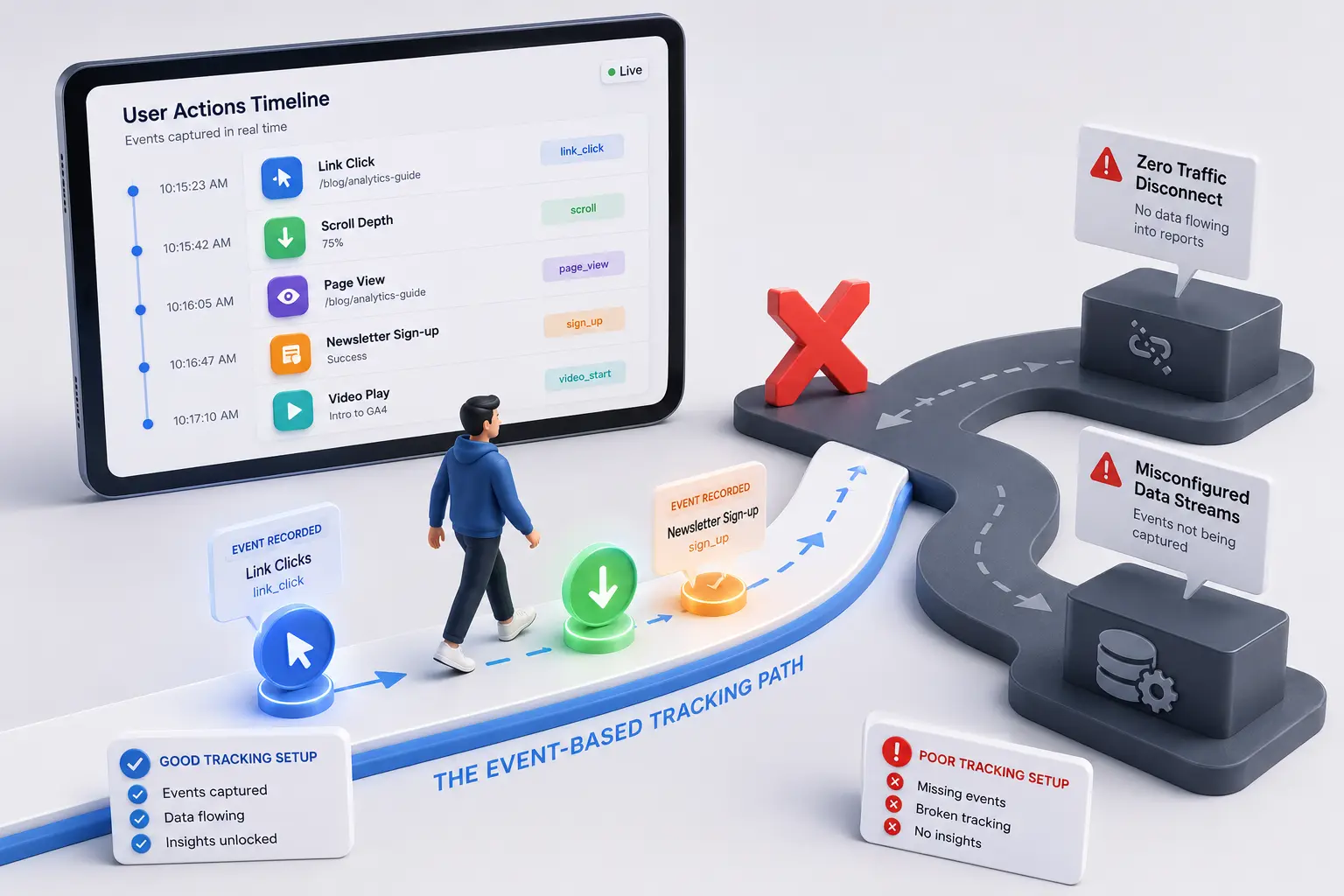
How to Read Google Analytics 4: A Beginner Guide
GA4 looks like a foreign language until you know where the numbers actually live.
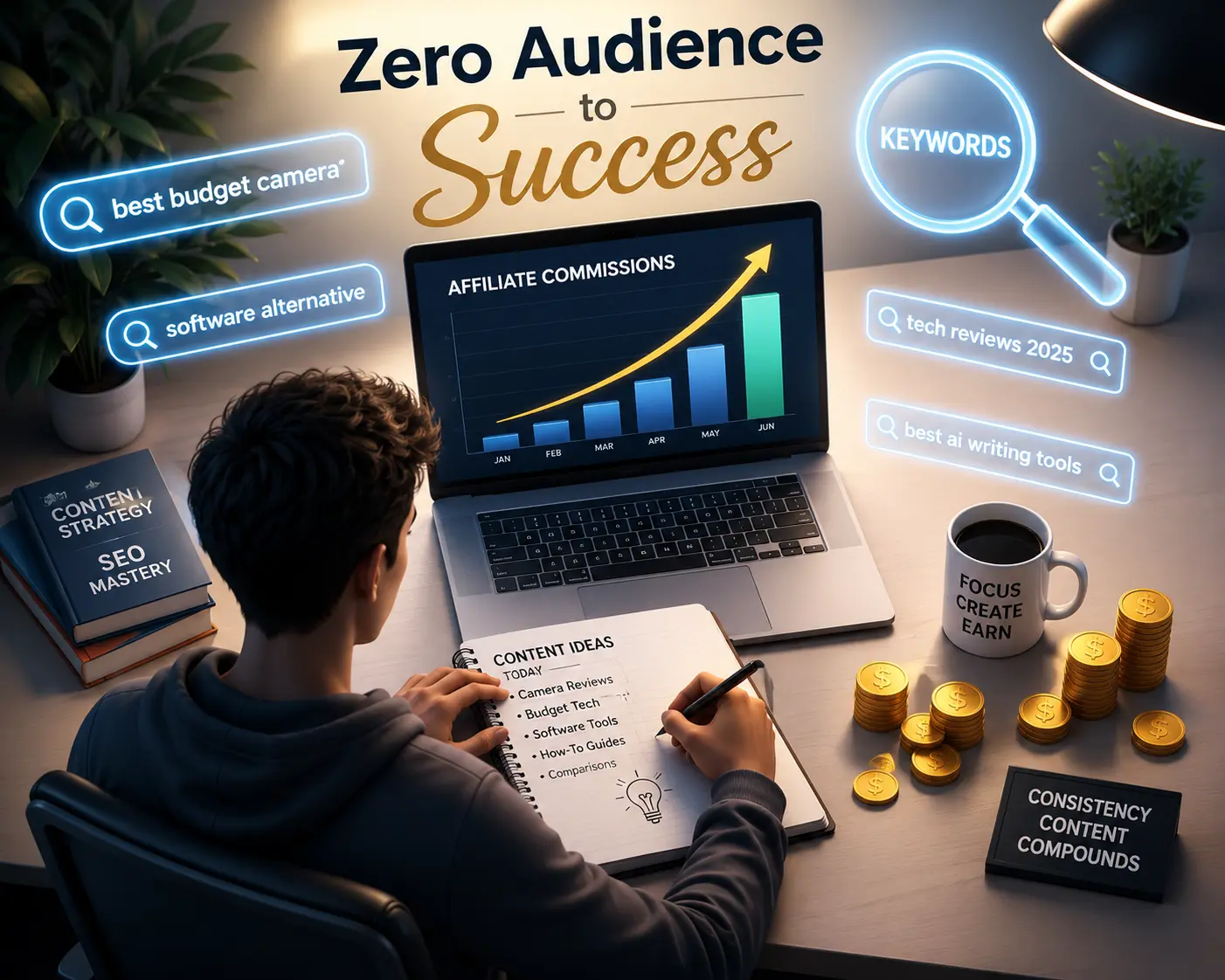
Affiliate Marketing with Zero Audience: A Beginner Guide
You don't need followers to make affiliate marketing work, you need people who are already searching for what you're selling.

Build a Free Marketing Funnel for Beginners
You don't need a paid tool stack to turn strangers into clients, just the right free tools in the right order.